

Every small company in 2026—from local cafés booking weekend brunch tables to B2B SaaS startups closing enterprise deals—needs a professional website that goes beyond a basic social media presence. Consumer expectations have sharply risen since 2023, driven by shifts in online buying behavior, where 60% of web traffic now originates from mobile devices. Your potential customers demand superior speed, mobile user experience, and clear trust signals before they’ll consider doing business with you.
Building a small business website requires consideration of specific needs beyond general website features.
This guide provides a step-by-step, non-technical roadmap for creating a small business website that actually generates leads and builds credibility. TF Media Company specializes in helping small businesses turn simple brochure sites into lead-generating assets, and we’ve distilled our approach into actionable steps you can follow regardless of your technical background.
Here’s what a well-designed business site delivers for small companies:
- Credibility: Trust signals like testimonials, customer reviews prominently displayed on the homepage, credentials, and professional design build confidence before the first conversation
- Visibility: Local SEO signals help you appear when nearby customers search for your services
- Lead generation: Simplified calls-to-action convert visitors into quote requests, bookings, or sales
- Recruitment: Team bios and culture pages attract talent who want to work with you
A website addresses specific business needs by providing control over branding and messaging, which social media platforms cannot fully offer. Modern website platforms now provide all the tools necessary to establish and manage an online business, including sales, inventory management, booking, and payment processing, all integrated into a single system. Your website also serves as a central hub for customers to learn about your products or services.

Step 1 – Define the Purpose of Your Small Business Website
The first step in launching a small business website is to pick a website purpose that aligns with your business goals.
Purpose must precede all design choices. Before you select a website builder, choose colors, or write a single word of copy, you need clarity on what your website should accomplish for your business.
The main purpose options for small companies in 2026 include:
- Lead generation: Service-based businesses like plumbers in Chicago use prominent quote forms to capture potential customers
- Bookings: Yoga studios and salons integrate calendar systems so clients can manage bookings directly
- E-commerce: Local fashion boutiques need product grids, filters, and checkout flows to sell products online
- Authority building: Consultancies publish case studies and thought leadership to establish expertise
- Product education: B2B software vendors create resource libraries explaining complex offerings
Consider how purpose differs across business types. A Bristol electrician’s site focuses on 3-4 service pages with click-to-call buttons and local testimonials—minimal pages, maximum conversion. An Austin marketing agency emphasizes a portfolio section and blog for thought leadership, requiring more website pages and regular content updates. An online candle brand prioritizes shop filters, product photography, and streamlined checkout flows with inventory management capabilities.
Your purpose influences everything: the number of pages you need, whether to invest in a blog, the type of imagery you’ll use, and where calls-to-action should appear. Small business owners should choose one primary goal for 2026 and 1-2 secondary goals to avoid diluting focus.
Before moving forward, answer these questions:
- What single action do I most want visitors to take?
- How will I know if my website is successful in 6 months?
- What information must visitors have to take that action?
- Does my business need online booking, e-commerce, or simple contact forms?
Set Clear and Measurable Goals
Transform vague aims into measurable targets. “Get more customers” becomes “30 quote requests per month by Q4 2026.” This specificity allows you to evaluate whether your new website is actually working.
Simple metrics most small companies can track without complex tools:
- Contact form submissions (tracked in your website builder or email)
- Phone calls from click-to-call buttons (use call tracking or simply ask callers how they found you)
- Appointment bookings through integrated calendars
- Newsletter signups from lead magnets
- Product purchases and cart completion rates for an online store
Set realistic timelines for 2026. Organic traffic growth typically requires 3-6 months after launch before showing meaningful results. Paid campaigns can accelerate initial traffic, but sustainable growth through search engine visibility takes patience. Track your baseline metrics from day one so you can measure improvement accurately.
Step 2 – Choose and Protect Your Domain Name
Your domain name is a long-term asset for your online business. Unlike social media handles that platforms control, you own your domain and can move it between hosting providers as your needs evolve.
Start by brainstorming ideas—aim for 10-20 options combining your legal business name, location, and main service. A Denver plumber might consider “smithplumbingdenver.com” or “denverdrainpros.com.”
Strong domain criteria for 2026:
- Under 15 characters when possible
- Easy to spell phonetically (passes the “say it over the phone” test)
- No hyphens or confusing numbers (“4” for “for” creates problems)
- Available across major social media platforms for consistent branding
The .com extension remains dominant, with roughly 70% preference among consumers. However, local TLDs like .co.uk and .com.au are fully accepted in their markets, and niche options like .studio or .shop work well for creative businesses and ecommerce stores.
Register your custom domain independently through reputable registrars like Namecheap rather than bundling it with your hosting. This preserves flexibility if you later switch platforms. Typical 2026 pricing for .com domains runs $10-20/year for initial registration, with renewals at $15-25/year. Many website builders offer a free domain for the first year, but watch for renewal pricing.
Do: Secure matching social handles immediately after registering your domain. Register common misspellings as protection.
Avoid: Trademarked terms, overly generic names that won’t stand out, and platform-tied registrations that complicate future migrations.
Check Trademarks and Brand Conflicts
Before purchasing, perform quick trademark checks to avoid costly conflicts:
- Search the USPTO database (US) or EUIPO (EU) for registered trademarks
- Google your proposed name plus your industry and location
- Check major social networks for existing accounts using the name
- Search your state’s business registry for similar names
Ensure your business name, domain name, and social handles align closely. Inconsistency creates confusion and may force expensive rebrands later. Roughly 25% of small businesses face naming disputes from inadequate initial checks—don’t join them.
Step 3 – Plan Your Pages, Structure, and Legal Essentials
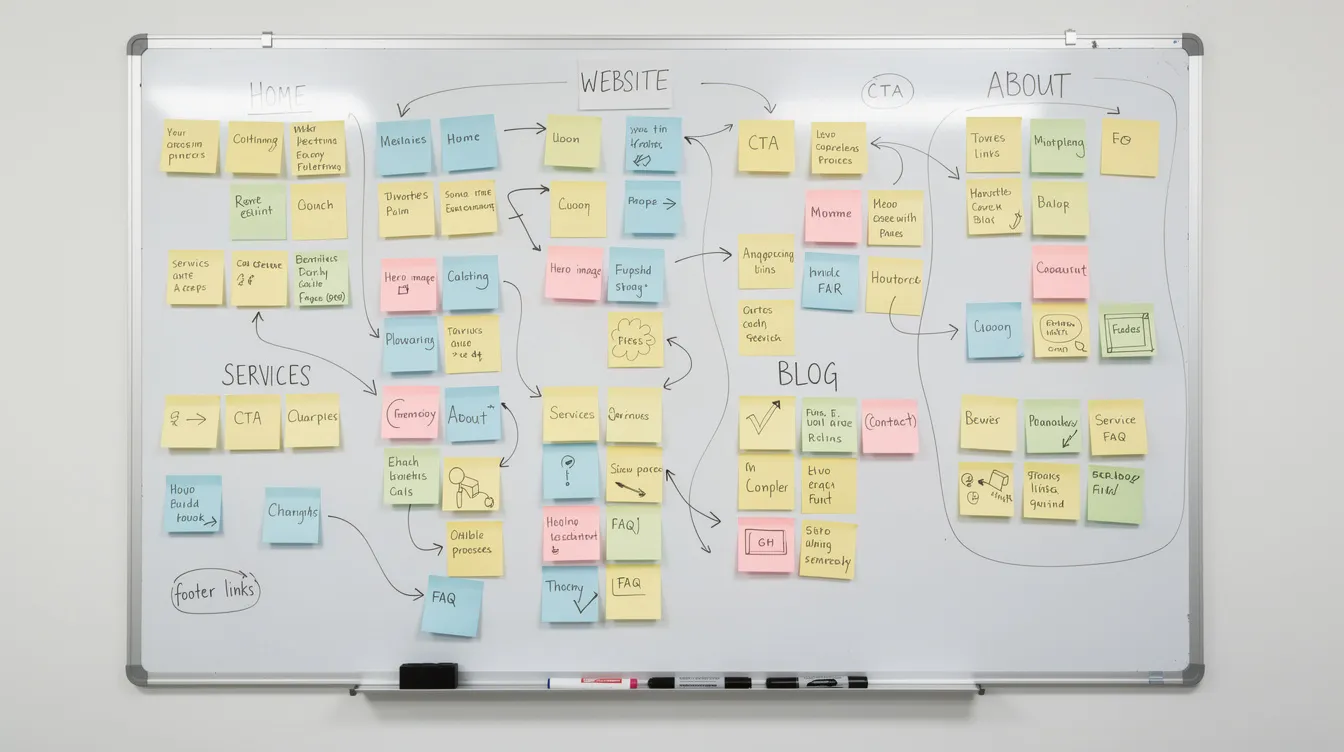
Planning your pages on paper or a whiteboard before touching any website builder saves time and reduces redesign costs by up to 40%. Map the user journey from first click to conversion before committing to code.
Core pages most small companies need in 2026:
- Home: Hero section with value proposition, primary call-to-action, and brief overview of offerings
- About: Team bios, company story, and credentials that build trust
- Services/Products: Detailed breakdowns with pricing indicators where appropriate
- Pricing or How It Works: Transparent tiers or process explanations that prequalify leads
- Portfolio/Case Studies: Visual proof of results for service businesses
- FAQs: Objection handlers addressing common concerns
- Blog/Resources: SEO fuel and detailed information demonstrating expertise
- Contact: Forms, maps, phone numbers, and hours
- Legal pages: Privacy policy, cookie notice, terms of service, accessibility statement
Many website builders include templates and boilerplate text for commonly required pages and notices to help with compliance, which is especially useful for free small business websites. Website builders often have app stores with free and paid applications to enhance functionality for small businesses.
Example site maps for different small business types:
| Local Restaurant | Home Services Company | B2B Consultant |
|---|---|---|
| Home | Home | Home |
| Menu | Services | Services |
| Reservations | Service Areas | Case Studies |
| Location & Gallery | Pricing | Resources/Blog |
| Contact | Testimonials | About |
| Contact | Contact |
Since 2024-2026, regulators and browsers have tightened rules around cookies and tracking. Privacy policies detailing data use, cookie consent banners, and accessibility statements are no longer optional—non-compliance risks fines up to 4% of revenue in the EU and increasing scrutiny in other markets.
When starting from a template or custom theme, small businesses can use website templates to create a professional online presence quickly.
Accessibility and Inclusivity
Aim for WCAG 2.1 AA-level accessibility even if not legally mandated in your region. Accessible design isn’t just ethical—it improves usability for everyone and can boost SEO performance by up to 15%.
Specific accessibility practices to implement:
- Color contrast: Maintain a 4.5:1 ratio minimum (dark text on light backgrounds)
- Focus states: Visible 2px outlines for keyboard navigation
- Image alt text: Descriptive text for all images supporting both accessibility and SEO
- Font sizing: 16px minimum base size that scales to 200% without breaking layout
- Keyboard navigability: All interactive elements are reachable without a mouse
- ARIA labels: Proper labeling for forms and dynamic content
Step 4 – Select the Right Platform and Hosting in 2026
Small business owners face two main paths to create a website: website builders like Squarespace, Wix, or Shopify versus content management systems like WordPress on managed hosting. Website builders offer ease of use with drag-and-drop interfaces, making them ideal for those who want to launch quickly without coding. In contrast, CMS platforms like WordPress allow for greater flexibility and control in creating and managing a website, albeit with a steeper learning curve. Additionally, a content management system (CMS) allows for more control and flexibility in hosting compared to website builders.
Website builders excel for speed—you can launch in days without code using a drag-and-drop editor. Most website builders include built-in tools for basic analytics, forms, and SEO. However, they can limit scalability and customization as your business grows.
Content management systems offer greater flexibility for content-heavy sites and custom functionality through third-party apps and plugins. The tradeoff is a steeper learning curve and more maintenance responsibility.
For ecommerce, Squarespace provides all the tools needed to sell products, offer services, or book appointments directly on a website. E-commerce solutions for small businesses now include inventory management, shipping, and point of sale systems from a single dashboard, making it easy to manage inventory and sales operations.
Match your platform choice to your business model:
| Business Type | Recommended Platform | Why |
|---|---|---|
| Appointment-heavy | Squarespace, Wix | Built-in booking calendars |
| Content-heavy | WordPress | Superior blogging and SEO tools |
| Product-heavy | Shopify | Robust ecommerce store features |
| Simple brochure | Any builder | Non-technical users succeed easily |
Hosting considerations for 2026:
- 99.9% uptime guarantees (downtime costs you leads)
- 24/7 support availability
- Automatic backups (test restoration periodically)
- Free SSL certificates (mandatory for trust and SEO)
- Server locations near your target audience
- DDoS protection and automatic software updates
- Malware scanning (small business sites faced 30% attack rates 2020-2025)
Budgeting for Your Website
Understanding realistic costs helps you allocate resources effectively and avoid hidden costs that derail projects.
Very lean DIY budget: $10-40/month for an all-in-one platform plus $10-20/year for your domain. Suitable for simple sites where you’re comfortable learning the platform.
Hybrid approach: $1,500-3,000 initial investment for professional help with design and copy, plus $20/month ongoing hosting. Good for owners who want professional results but plan to manage updates themselves.
Fully outsourced: $1,500-6,000 for a complete 5-10 page site with professional design, copywriting, and photography. Ongoing maintenance adds $200-800/year.
Think in terms of ROI over 12-24 months rather than fixating on upfront price. Prioritize spending on website content (professional copy), photography (2x engagement improvement), and ongoing support rather than flashy design features that don’t drive conversions.
Step 5 – Design, Branding, and Template Customization
Consistent branding—logo, colors, fonts, tone of voice—fosters 20% higher recognition among potential customers. Your great website should feel like a natural extension of your business, not a disconnected digital presence.
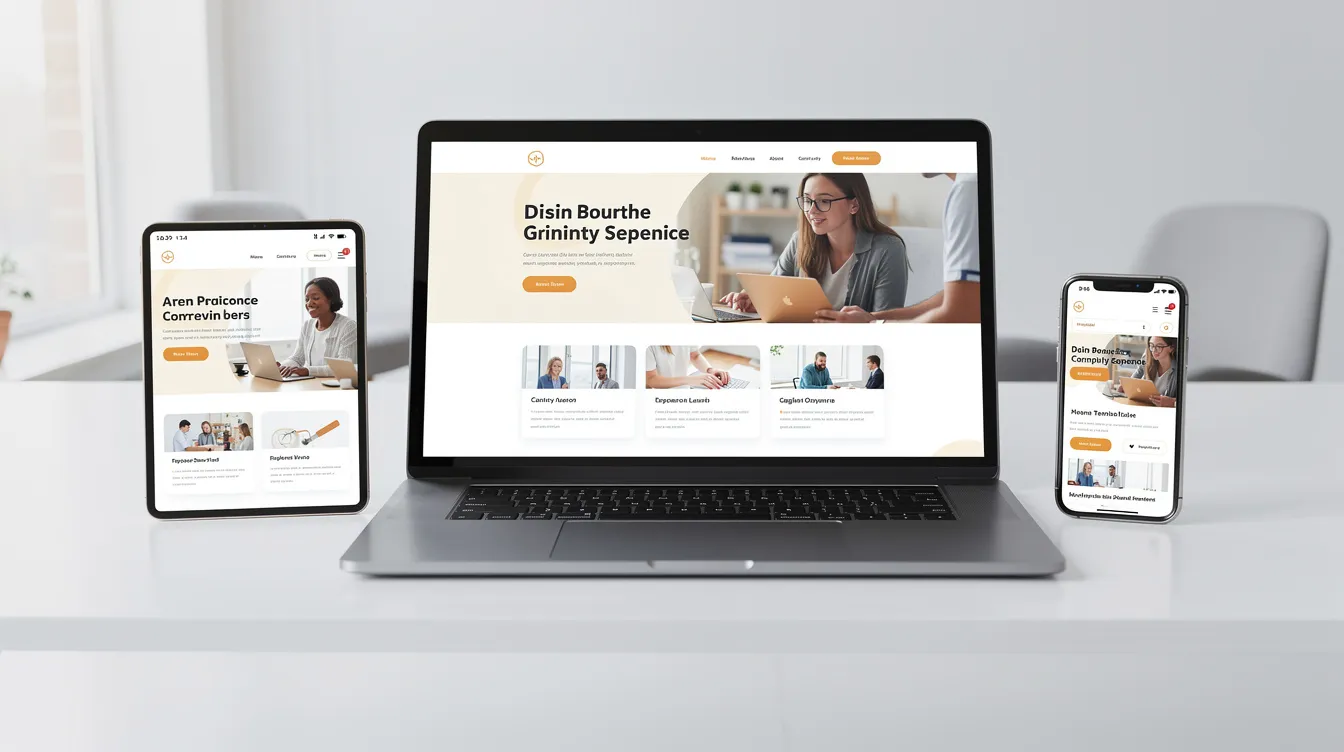
Most small companies in 2026 start from a website template or custom theme, then customize rather than designing from scratch. This approach balances professional appearance with practical budgets. Select templates aligned with your purpose: service businesses need clear contact paths, e-commerce needs product grids, and coaches need landing pages with booking forms.
Key design decisions for your new site:
- Color palette: Limit to 2-3 main colors (primary brand color, accent, neutral)
- Typography: Maximum 2 fonts (one for headings, one for body text)
- Hero section: Off-center imagery, bold headline, clear subheadline, single primary CTA
- Navigation: 5-7 items maximum in your main menu
- Footer: Contact information, social links, trust badges, legal page links
2026 web design trends favor asymmetric organic layouts that break traditional grids intentionally, plus subtle micro-interactions like hover effects and scroll animations. These design features can boost engagement by 25% when implemented thoughtfully without sacrificing site speed.
Branding for a Cohesive Online Presence
Your online presence extends beyond your website. Connect branding consistently across all touchpoints:
- Google Business Profile images and description
- Social media platforms (Instagram, LinkedIn, Facebook)
- Physical signage and business cards
- Email signatures and marketing tools
- Any ad campaigns you run
From 2023-2026, customers will increasingly cross-check brands across channels before purchasing. Inconsistency between your website and social profiles erodes trust. Ensure your logo, tagline, color palette, and photography style align everywhere prospects might encounter your business online.
Copywriting That Speaks to Your Ideal Customer
Small company websites should focus on customer problems and outcomes rather than company history and feature lists. “Save 20% on energy bills” outperforms “We use advanced HVAC technology” every time.
Effective copy practices for 2026:
- Lead with benefits and outcomes your ideal customer cares about
- Include specific examples and 2025-2026 testimonials
- Use short paragraphs (2-3 sentences) suited for mobile reading
- Structure content with scannable H2 and H3 headings
- Place one main CTA per page to avoid decision paralysis
- Avoid jargon unless your B2B audience expects it
- Blend human-written copy with carefully edited AI assistance for efficiency
Research shows conversion-focused layouts with logical content flow and early trust signals outperform traditional designs by significant margins. Put your best website content—testimonials, credentials, clear value propositions—above the fold where visitors see it immediately.
Step 6 – Add Content, Optimize for Mobile and SEO, Test, and Launch
The final build stage links content creation, mobile optimization, SEO, and testing into a cohesive launch process. Rushing this phase undermines everything you’ve built.
Content addition priorities:
- Service descriptions with clear outcomes and pricing ranges
- Team bios with professional photos
- FAQs addressing objections and common questions
- Blog posts answering 2026 customer queries (great for local business SEO)
- Clear CTAs on every page guiding visitors toward conversion
Mobile optimization essentials:
- Tap-friendly buttons (minimum 44px targets)
- Readable fonts without zooming
- Simple menus that work with thumbs
- Sections stacked logically on small screens
- Above-fold CTAs visible without scrolling
Basic SEO practices:
- Keyword research focused on local intent (“plumber near me” searches)
- Title tags under 60 characters with primary keywords
- Meta descriptions that encourage clicks from search engine results
- Page load times under 3 seconds (critical for rankings and conversions)
- Internal linking between related pages
- Schema markup for local business rich snippets (boosts CTR by 20%)
Testing checklist before launch:
- Test forms on multiple devices and browsers
- Verify checkout flows work completely (for e-commerce store sites)
- Check page speed using PageSpeed Insights (aim for 90+ scores)
- Confirm analytics tracking captures key events
- Review on actual phones, not just browser simulators
Consider a soft launch—limiting promotion for 1-2 weeks—so you can identify and fix small issues while traffic remains low. This approach prevents embarrassing mistakes from reaching your full audience.

Post-Launch Maintenance and Promotion
Your website requires ongoing attention to remain secure, functional, and effective.
Monthly quick checks:
- Test all contact forms
- Review analytics for unusual patterns
- Check for broken links
- Verify secure hosting SSL certificates remain active
Quarterly deeper reviews:
- Update plugins and themes
- Refresh seasonal content
- Review SEO performance and adjust seo strategy
- Check the site speed hasn’t degraded
Annual refresh:
- Evaluate design against current standards
- Update team bios and case studies
- Reconsider page structure based on user behavior data
- Plan content calendar for the coming year
Promotion basics:
- Connect Google Search Console and gain access to built-in analytics
- Keep your Google Business Profile updated with current photos and hours
- Share new content on social media consistently
- Build local citations and encourage customer reviews
- Create email marketing campaigns with lead magnets (2026 buyer guides work well) to nurture visitors and recapture 15-20% who leave without converting
Frequently Asked Questions (FAQs)
FAQs About Website Design for Small Companies
These are questions TF Media Company hears most often from small business owners planning their digital marketing presence.
Does every small company really need a website in 2026?
Yes. Your website serves as the primary trust checkpoint for potential customers. While social media platforms provide valuable visibility, studies show professional websites generate 3x more leads than social-only presences. Customers increasingly cross-check businesses across channels, and finding no website—or a poorly designed one—sends them to competitors. Even a simple business site outperforms having nothing at all.
What’s the typical total cost for a small business website?
Initial costs range from $500 for a completely free plan DIY builds with minimal customization to $7,000 for fully outsourced professional designs. Free small business website options do exist using platforms that offer free plans, but these often come with limitations such as platform branding or restricted features. Ongoing costs run $200-800 annually for domain renewal, hosting, and basic maintenance. The best website for your budget depends on your technical comfort level and how critical online leads are to your business model.
How long does it take to launch a basic site?
DIY approaches using the right website builder take 1-4 weeks, depending on your available time and content readiness. Professional projects typically run 4-12 weeks, including strategy, design, content development, and revisions. The biggest delays usually come from waiting on client-provided content like photos and service descriptions.
Should I build my own website or hire a professional?
DIY works well for simple sites where you have time to learn the platform and can write your own website content. An ai website builder can accelerate the process for non-technical users. Professional help makes sense when you need custom functionality, have a higher budget, or when your time is better spent running your business. Many small business owners successfully use a hybrid approach—hiring help for initial design and handling updates themselves.
How often should I redesign my website?
Plan a significant refresh every 3-4 years or whenever your brand, offerings, or target audience changes substantially. Minor updates should happen continuously—adding case studies, updating team information, publishing blog content. Squarespace websites and other website builders make these ongoing updates manageable without professional help.
What legal pages does my small company website need?
At minimum: a privacy policy explaining data collection practices, cookie consent mechanisms if you use any tracking, and an accessibility statement. E-commerce sites need terms of service covering purchases and returns. Since 2024, regulatory enforcement has increased significantly—ignoring these requirements risks fines and erodes customer trust. Templates exist, but review them with legal counsel for your specific situation.
Can I use AI to create my website content?
AI-assisted content creation is safe and increasingly common when combined with human editing and fact-checking. Search engines don’t penalize AI content that provides genuine value, but they do penalize thin, inaccurate, or duplicated content regardless of source. Use AI for brainstorming ideas and first drafts, then refine with your unique expertise and voice. The combination delivers efficiency without sacrificing the originality that differentiates your business.
What should I know about e-commerce for my small business website?
If you plan to sell products or services online, using a reliable e-commerce platform is crucial for setting up a storefront with clear product descriptions and secure payment systems. This ensures a smooth shopping experience for your customers and helps protect their information.
How customizable are website templates?
Website templates often allow for varying levels of customization depending on the platform used. Some platforms offer extensive design flexibility, while others may have more limited options.
Do I need to register a domain name?
Yes, registering your domain name is necessary for visitors to find your website. It gives your business a professional online address and helps customers easily locate you.
Should I test my website before launching?
Absolutely. Testing your website before launch helps identify any issues that need to be resolved, ensuring a smooth experience for your visitors from day one.
Your 2026 website should work as hard as you do—start with purpose, build with intention, and maintain with consistency. The steps outlined here give any small business owner the framework to create a professional website that generates real results.
Ready to transform your online presence into a lead-generating asset? Begin with Step 1 today: write down your primary goal and the specific metric you’ll use to measure success. Everything else follows from that clarity.
